FAQs
Q: How are camera recordings stored?
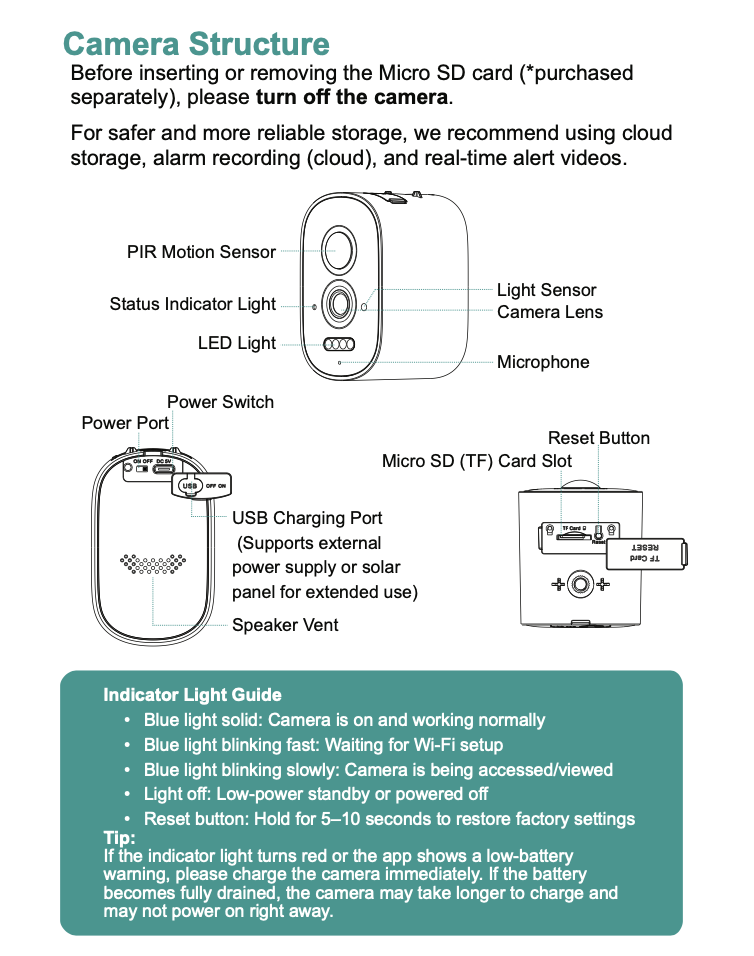
A: 1. Local storage: The camera supports a TF (microSD) card up to 128GB (*purchased separately). When the card is full, older videos are automatically deleted and new videos continue to record (loop recording).
2. Cloud storage (recommended): Alarm videos can be stored securely on a cloud server. The app sends real-time alert video clips, making storage safer and more reliable. For details, check the cloud service page in the app.
Q: What should I do if I forget the device password?
A: Restore the camera to factory settings, then reconnect the device and set a new password.
Note: The device password is important for your privacy and security. Please keep it safe.
Q: What should I do if the camera won’t connect or goes offline?
A: 1. Check that the camera battery is charged and your router is working properly.
2. Press and hold the power button to turn the camera off, then restart it.
3. Reset the camera to factory settings:
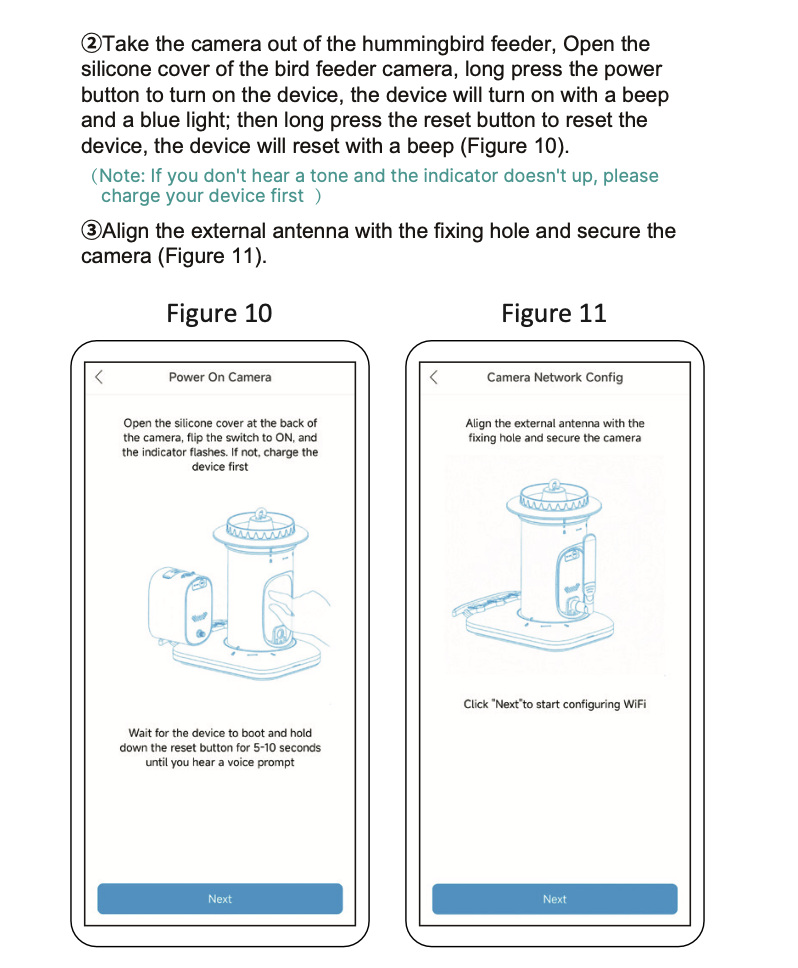
Press and hold the reset button for 6 seconds until you hear “Restoring to factory settings, do not power off.”
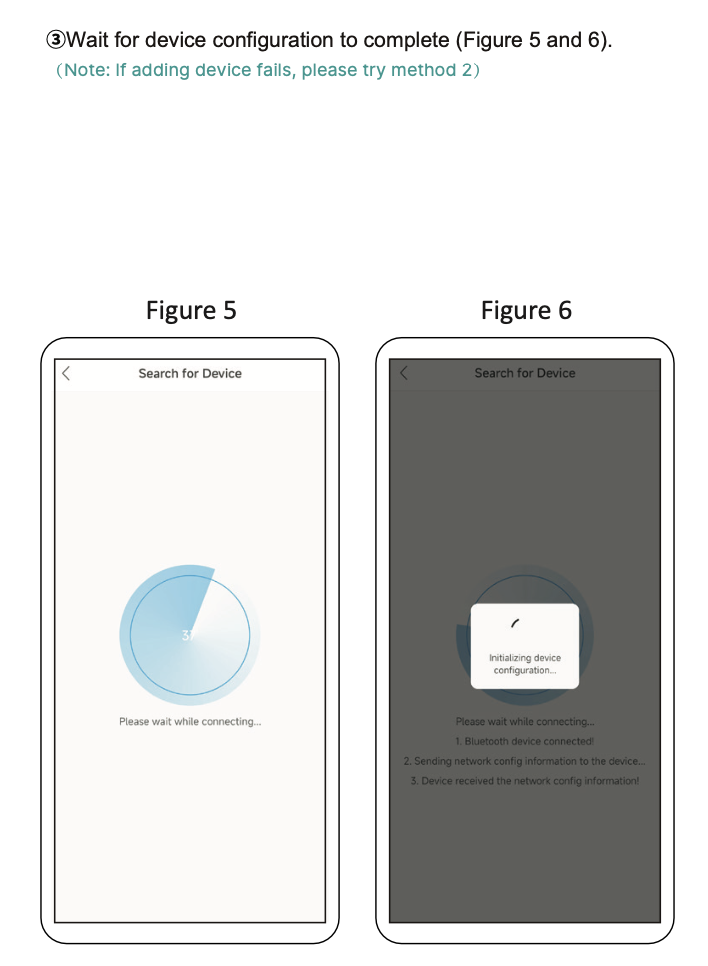
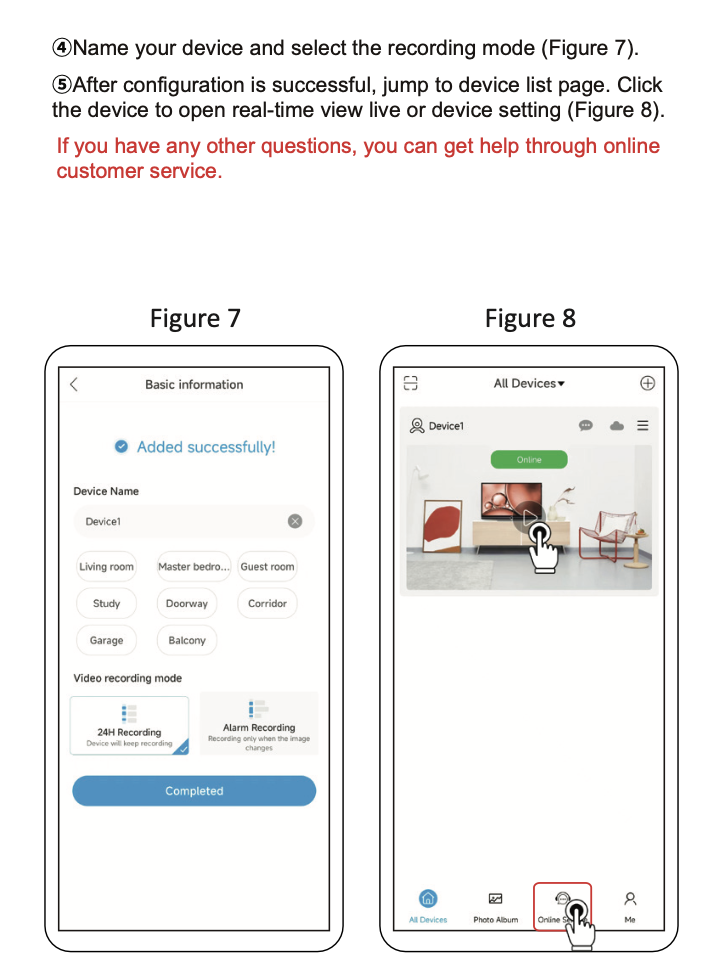
Release the button and follow the app instructions to add the device again.
Q: Does the camera support 5G Wi-Fi routers?
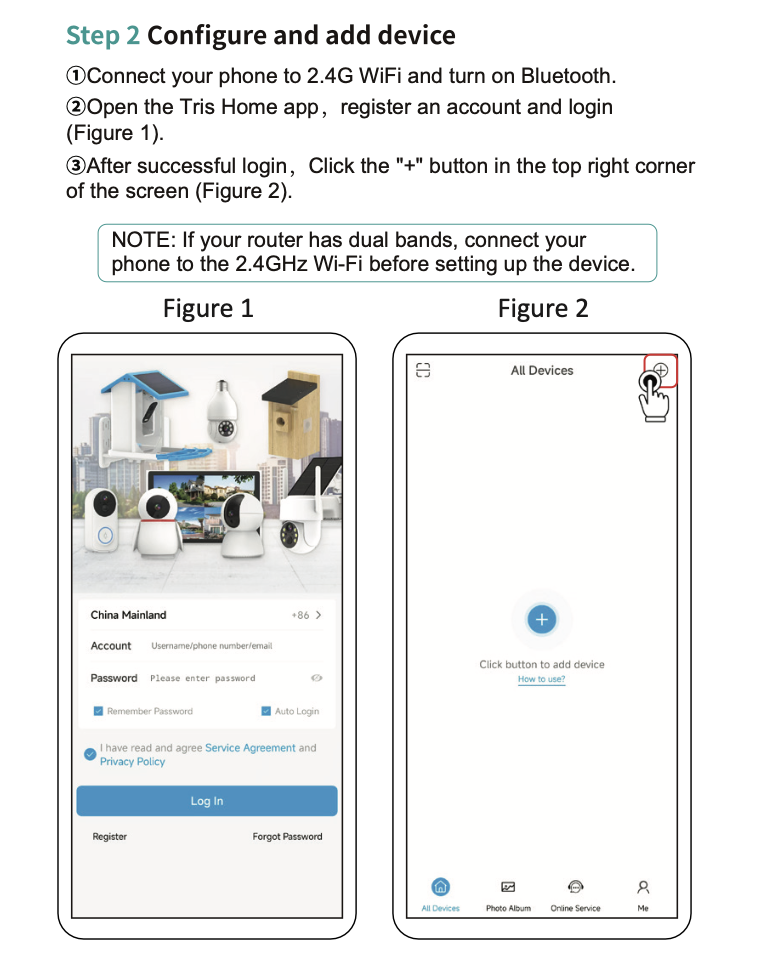
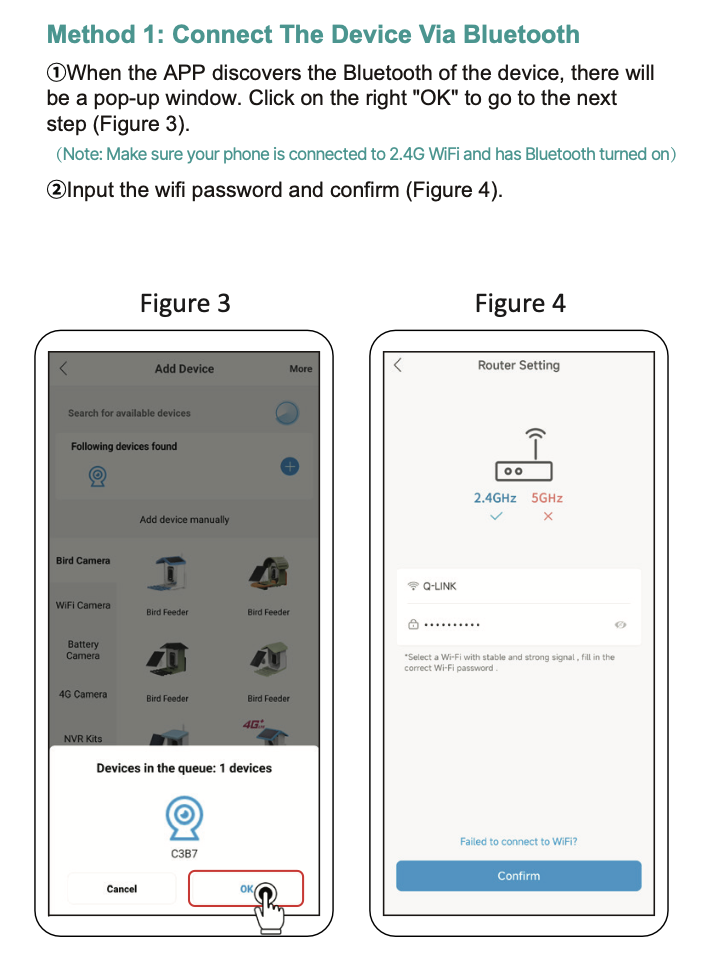
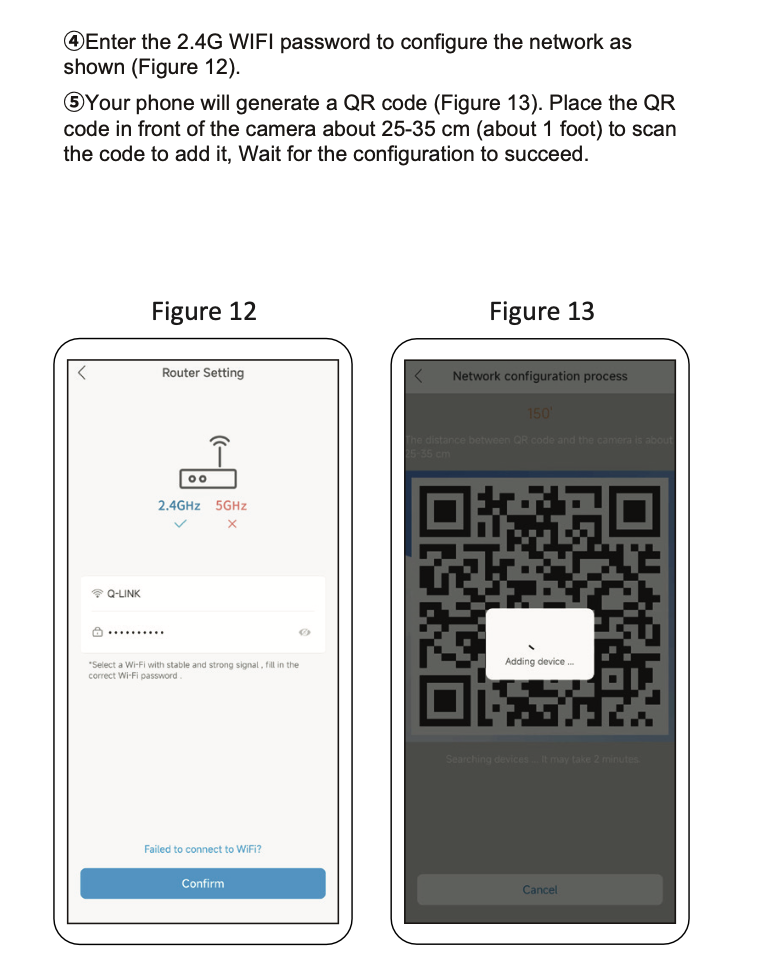
A: The camera only supports 2.4GHz Wi-Fi.
-
If your router uses the same name (SSID) for both 2.4GHz and 5GHz, turn off the dual-band or smart switch feature in the router settings. This feature may automatically switch to 5GHz, causing connection or offline issues.
-
If your router has separate names (for example, Home-5G and Home-2.4G), connect your phone to the 2.4GHz Wi-Fi first, then set up the camera.
Need Help?
If you need assistance:
-
Email: support@wuzutech.com
-
Phone: (866) 479-1629
When contacting support, include your order number and a short description of the issue.
Still need help? Create a support request with our customer service team and we'd be happy to help.